Brad Wardell's Blog


WindowBlinds comes to Vista

Published on Wednesday, November 15, 2006 By Brad Wardell In Customization

Vista Preview

 Our story so far...

In 1999, software developer Stardock released a program called WindowBlinds 1.0. It allowed users of Windows 95, 98, and NT to "skin" the way Windows looked and behaved. It not only could make Windows look better, it could make it more functional by adding more buttons and controls to the Windows GUI.

The screenshots below may cause pain. But back in 1999, it was this or the default Windows look.

In 2001, Microsoft released Windows XP which had "Luna".

Microsoft applied the "Luna" skin using a built in engine called uxtheme. Some users figured out how to crack the digital signing protection in uxtheme to allow for other skins to be applied (some companies actually charge money for this).

Stardock followed up with a new version of WindowBlinds (version 4.0 by this point) which continued to add new things that it could skin.

WindowBlinds 4.0 had significant advantages in features over the built in skinning system in Windows XP such as the ability to skin non-theme aware applications (most programs even now aren't fully theme aware so you get a mish-mash of "classic" and Luna in them) and WindowBlinds could add more controls to the UI, have irregularly borders, independently sized frames and title bars, animation, etc. 

But the downside was that all those goodies came with a price in performance.  While WindowBlinds was the same speed as the Windows XP engine while running the same skin, most WindowBlinds skins tended to skin more things. WindowBlinds 4 and the XP engine were, from an architectural point of view, nearly identical.

That changed with WindowBlinds 5.

WindowBlinds 5 - faster faster faster

WindowBlinds 5 was a major departure in that it was the first version to truly make use of hardware acceleration. WindowBlinds 4 and the XP skinning system both did everything in software using GDI calls.  WindowBlinds 5 made use of DirectX to begin leveraging the performance of 3D cards which in turn allowed WindowBlinds skins to run faster than classic could in many cases (let alone Luna).

Moreover, this 3D acceleration allowed WindowBlinds 5 to have alpha blended borders -- glass.

But now there is a whole new Microsoft OS with a whole new system. And the new look on Vista (the default look) is VERY good -- Aero.

 WindowBlinds on Vista in action

Version 5.5 of WindowBlinds has been designed to enable Windows Vista to become skinnable.  This is no easy task for a number of reasons. The biggest reason has to do with the new Desktop Window Manager (DWM).  While technically WindowBlinds could have hacked its way to work on Vista, it was important that WindowBlinds work natively on Vista and that means using the new 3D composited desktop. By using the DWM you get hardware acceleration and a ton of other possible effects. 

The second challenge was making visual styles (skins) made for Windows XP work on Windows Vista without parts missing.  So Stardock developed "Smart Skinning" in which graphical elements in XP skins are translated to take care of new parts in Windows Vista.

The new configuration window

The new configuration dialog has been designed to be easier to use and adhere to the new Windows Vista UI guidelines. 

Performance

WindowBlinds 5.5 should run as fast or faster than the default "Aero" skin thanks to using some of the caching features of the DWM that Aero currently doesn't use. This should be particularly noticeable when moving windows around.  Aero is already plenty fast and at this point, where everything is accelerated, performance is no longer really a factor in skinning. But it is worth noting that the days of "slowing your system to a crawl" that was so common in the earliest days of skinning should be long gone at this point.

Compatibility

Compatibility is still being worked on in this beta. This has mostly to do with the sheer number of different skins that have to be tested.  WindowBlinds supports 3 different skin formats with thousands of different skins.  And many new applications, like the new Office, do some pretty..unusual things (if there ever was a program not designed to be skinned it would be the new Office apps but as you can see in the screenshot, we're doing it). 

Since this is being ready more so by technical users than most things we release, let's be specific: Compatibility has to do with the skins. For example, what if a given skin's title bar is really thin. How will it be handled by the new Office which assumes title bars of a certain height?  What if they made their start menu in such a way that it gets in the way of the new search field or the new buttons Microsoft added?While most experienced users would simply choose a different skin, we feel it important to make sure that skins, even ones made years ago, function properly on Vista or at least don't cause any problems.

A new life for visual styles

Thousands of WindowBlinds visual styles exist and work on Windows Vista.  However, thousands of msstyles were made too. They won't work on Windows Vista. The good news is that they can work vai WindowBlinds after being converted by SkinStudio (a free download). Once SkinStudio has been installed and associated with .msstyles, users can double click on one and convert it over.

Windows Vista includes Aero, a bold new look.  But for users feeling a little retro, they can still make Vista resemble great designs of the past.  OS/2, MacOS, Msstyles, and of course the Windows XP look itself.

 FAQ

Question: Will WindowBlinds 5.5 support the new blur effects?

Answer: The goal of WindowBlinds 5.5 is primarily to get skinning working on Windows Vista and support existing XP skins.  It is adding new features to the skinning format to support Windows Vista elements. Subsequent versions will begin to add support for different kinds of 3D effects such as blurring that skinners can make use of. 

Question: What versions of Windows Vista will WindowBlinds work on?

Answer: All of them. Even ones that don't include Aero. As long as your video card supports the DWM (any reasonably decent video card) you'll be able to get the full power of WindowBlinds 5.5.

Question: Will WindowBlinds 5.5 support Windows XP?

Answer: Yes. Stardock will be continuing to make new versions of WindowBlinds for XP users for a very long time.

Question: I've tried WindowBlinds and I don't like the visual styles for it. Are you going to make better skins?

Answer: We don't make the skins. We make the software. At least, historically. That is changing though. Recently we launched a new group called Stardock Design whose job is to create phenomenal looking skin suites.  There are thousands of different WindowBlinds skins out there plus there are thousands of msstyles out there that can be used with WindowBlinds. Just look for ones that suit your tastes.

 Getting WindowBlinds on Vista...

Right now, the only way to get WindowBlinds on Windows Vista is to have Stardock Object Desktop.  You can get that at www.objectdesktop.com. Object Desktop includes over a dozen different programs that improve the user experience of Windows.  In January, Stardock expects to make WindowBlinds 5.5 available as a stand-alone download.  Current owners of WindowBlinds 5 can upgrade to Object Desktop here.

Get it now at...


ObjectDock 1.5 released!

Published on Tuesday, November 14, 2006 By Brad Wardell In WinCustomize News

Stardock has released ObjectDock 1.5.  ObjectDock is a program that lets users add docks on their computer. These docks can host programs, running tasks, docklets, and more.  They're a great way to organize your desktop and they're incredibly cool to use.

ObjectDock 1.5 has a ton..TON of new features in it. These features include Windows Vista compatibility, a new image searching feature, .DockZip support, a new algorithm for zoom docks, drag and drop support for items on docks, tabbed docks rotate automatically when docking them with a screen edge if necessary, a host of mouse-over activation features, and more.

ObjectDock is freeware.  Stardock also makes a Plus version called ObjectDock Plus which adds tabbed docks, multiple concurrent dock support, system tray support, task grouping support and much more.

Download: www.objectdock.com

Guided Tour:  Feature Guide

Screenshots:


ObjectDock 1.5 Feature Guide

Published on Tuesday, November 14, 2006 By Brad Wardell In ObjectDock

Website: www.objectdock.com

ObjectDock is a program that enables users to organize their programs and running tasks into a dock. ObjectDock enables users to have more control over how they organize their desktop. Rather than have a bunch of icons on the desktop, these icons can be put into docks. ObjectDock can also be used to replace the Windows Start bar entirely freeing up valuable screen real-estate.

ObjectDock comes in two forms:

  1. ObjectDock Freeware, which is a free download for all users.
  2. ObjectDock Plus, which adds additional features such as tabbed docks, system tray support, taskbar grouping, multiple dock support, multiplemonitor support, fly-out menus and more. ObjectDock Plus is $19.95.

ObjectDock Freeware

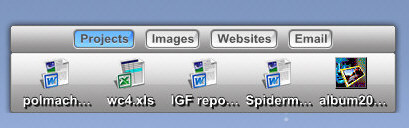
ObjectDock Plus adds tabbed dock support too


Users can download ObjectDock at http://www.objectdock.com.

ObjectDock 1.5: What's new

A ton of new features have been added to ObjectDock 1.5. This includes:

  • Windows Vista support
  • Vista-like searching in the image browser
  • Users can reserve the edge of the screen for ObjectDock
  • BRAND NEW zooming algorithm that is faster and smoother than before!
  • Smarter resizing of docks
  • .DockZip support
  • All kinds of new window dragging features
  • Users can now drag and drop data onto programs in a dock
  • Tabbed docks will now auto-rotate when you drag them to a different edge of the screen!
  • Smarter acquisition of images from short cuts (shortcuts won't have ugly icons anymore)
  • Auto-hidden docks show themselves for a specified time when they're loaded in order for users not to forget they exist
  • The config dialog for applications (taskbar items) now allow you to drop an image file onto them to set their image, like the rest of the config dialogs in the program.
  • Always on bottom docks will now come to the front when click-activated.
  • Always on bottom docks will now no longer steal focus from the foreground application unless clicked on.
  • Fixed issue where if user put a registry path (e.g. ".html") as a shortcut link the link wouldn't work properly when some browsers e.g. firefox were set as the default.
  •  Fixed issue where separators on tabbed docks could not be dragged (and thus moved or removed)
  • Fixed major issue involving dragging existing items, in which animations would begin to heavily lag and ObjectDock would become temporarily unresponsive on drag and drop operations that are not completely quickly.
  • Fixed issue with the top 64 pixels of fully-zoomed icons not being clickable when zoomed to a full 192 pixels.
  • Fixed issue with Always-On-Bottom zooming docks, where the dock would flicker some when moving to the front and back again.
  • The Calendar docklet for ObjectDock has a grey outline around it (as if the bounding box of the docklet were not transparentized)
  • Fixed issue where some rare tray icons who have active popups as their main window, would become inaccessible when you open them via the tray.
  • Fixed issue with always on bottom docks where configuring some items would be a challenge as the dialogs would keep going into the background once the mouse left the dock. Instead, the dock is not allowed to move to the back when config dialogs are open.
  • Fixed issue with the background-skinning of zooming docks attached to the left or right side of the screen. The caps on the top and bottom would not always be the proper size.
  • Fixed issue where if there were no items on a zooming dock, its background would have a strange behavior and not display properly
  • Fixed dock issue where if it were set to be always-on-bottom, when you did a drag-and-drop it would snap back to the background on release.
  • Fixed issue of authiding zooming docks not immediately re-hiding after you configure them and close the config dialog.
  • Fixed issue where systray would exhibit a "shift right" graphical glitch when a program is exited that existed in the tray.
  • Fixed rock/swing/glow alternate mouseover effects not working properly when no background is in use by the dock
  • Fixed issue where if you were using a tile background and using a rock/swing/glow effect, the tiles could sometimes quickly disappear during a mouse-over
  • Modified some option text for hopefully improved clarity


Full list can be found here.

ObjectDock Features: Standard Dock

ObjectDock has two types of docks. The standard dock is essentially a single "tray" or "wharf" that can hold short-cuts, running tasks, docklets, and system tray items.  The other type of dock, the "Plus" type, is the tabbed dock. The following section discusses the standard dock.

Highly flexible visual appearance

At a basic level, ObjectDock is simply a container for desktop items. It's been designed to be as flexible as possible to enable users to easily drag and drop their programs and documents onto it. It is also very flexible in enabling users customize the way it looks and feels.

ObjectDock supports more than just programs and running tasks, it also supports "docklets". These are mini-applications that reside on the dock and are created by third parties. There are docklets for telling you the weather, your email status, network traffic, CPU usage, memory usage, clock, Wi-Fi connection strength, calendar, and much more.  Docklets let users add useful information to their docks.

Docks can be vertical (such as in this screenshot) or horizontal, on the top or bottom of the screen. They can be aligned to the middle of the screen or to the left or right. Version 1.3 also adds the ability to have the dock offset from the edge of the screen (both free and Plus versions). The background (skin) of the dock can easily be changed with hundreds of additional skins available on-line to make your dock appear as anything you'd like it to be.

Mouse-Over Zoom effects

Another popular feature of ObjectDock is the ability to have the icons grow on mouse-over.  When the mouse is moved over a given icon on the dock, it starts to grow.

This effect can be a "narrow" effect or a "wide" effect to determine how many near-by icons are affected by the mouse over.

Easy replacement of icon images

A minor but key feature of ObjectDock is its ability to allow you to change the icons of items on the dock. Since many icons don't look good when enlarged, ObjectDock enables users to replace those icons with either other icon files or .PNG files. The popular customization site, WinCustomize.com, includes thousands of replacement icons for virtually every program out there.

Optional Start Bar replacement

ObjectDock can hide the Windows Start bar if the user chooses and take over all of its functionality. (ObjectDock Plus supports taskbar grouping and system tray items as well.)

ObjectDock Plus feature: System tray (see on the right of the dock). Hold down the mouse button on a system tray item for a few seconds to change the appearance of its icon.

ObjectDock Features: ObjectDock Plus

ObjectDock Plus includes all of the features of the free dock, but adds other features including the ability to have customizable tabs on your dock, which allows for even greater organization and control over your desktop.

Two customized docks


Different docks can be organized in different ways, and tabbed docks can be docked to an edge of the screen to display just the tabbed dock. When the tabs are docked to the edge you can choose to have them show up on top or activate with a hotspot. What can't be shown in a mere screenshot is just how good the usability of ObjectDock is. Drag a dock to the edge and it'll automatically dock. Move it off and it'll undock. It works intuitively and easily.

When used properly, tabbed docks can enable users to organize their desktops in truly remarkable ways.

Because the tabs can be made any size the user wants, the user could have color coded tabs that have no text. Or they could simply have hot spots that activate various docks on mouse-over.  The hot spots are intelligent enough that the user can set how long the mouse must linger on that hotspot before activating the dock. This is a major usability feature that ObjectDock Plus has going for it.

The tabbed docks are incredibly powerful when combined with the ability to have multiple docks on the desktop.

Free vs. Plus

Feature

ObjectDock Freeware

ObjectDock Plus

Standard Dock
Docklet Support
Taskbar Support

Skinning Support
Mouse-Over Zoom effect

Notification Animations
Minimized Programs displayed as thumbnail
Image short-cuts displayed as a thumbnail
Custom Graphics Engine
GDI+ Graphics Engine
Replace icons with other images
Can hide Windows Start Bar
Start menu support
Multiple Docks


Task grouping


System Tray Support


Tabbed Docks


Multiple Monitor Support


Fly-Out Menus


Tabs docked to screen edges


Control of Tab Sizes


Hot-Spot activation


Multi-Dock Manager


Cost Free $19.95

Screenshots


Object Desktop for Windows Vista Preview

Published on Tuesday, November 14, 2006 By Brad Wardell In GUI Championships News

The GUI Championships show off some of the amazing things designers from around the world can do to Windows XP.

But what about Windows Vista? Microsoft's next-generation operating system comes out in Janauary. What is possible on Windows Vista?

The answer: A LOT.  This week, for instance, WindowBlinds Vista goes into beta on Object Desktop.

Stardock has released a document that outlines some of the things Stardock has in the works for Object Desktop users on Windows Vista including WindowBlinds, WPF Sidebar gadgets, and more.

Stardock outlines Object Desktop for Vista plans

Published on Tuesday, November 14, 2006 By Brad Wardell In WinCustomize News

Stardock has begun to publicly formalize its Windows Vista plans.  The company, best known for creating desktop enhancement software for Windows, has released what it says is the first of several product announcements that leverage the new features in Windows Vista.

Its first announcement pertains to its flagship desktop enhancement suite, Object Desktop.  Object Desktop was amongst the first products to deliver features such as widgets, gadgets, ZIP folders, alpha blended shadows, "skinned" windows, glass title bars, taskbar thumbnails, and countless other features long before they became standard in the OS.

Stardock's plans on Windows Vista include enabling DesktopX to create Sidebar gadgets, WindowBlinds for Windows Vista, Windows Presentation Foundation (WPF) based gadgets, a new program that makes use of the Vista Desktop Window Manager (VDM), and more.

This week, Stardock intends to release WindowBlinds Vista beta, ObjectDock 1.5, TweakVista beta, and announced Stardock Design which is working with Microsoft and many other companies to deliver custom desktop related content.

Microsoft's Jim Allchin asked developers to start showing what Windows Vista could do.  Stardock asserts that it is cooking not just what's in its Object Desktop announcement but much more.

Read More: Stardock Object Desktop for Vista update

Screenshots:


Object Desktop for Windows Vista Preview!

Published on Monday, November 13, 2006 By Brad Wardell In Customization Software


for


Microsoft Windows Vista

www.objectdesktop.com

Introduction

It's been over 5 years since the last major release of Microsoft Windows.  Back then, many people wondered "would people need Object Desktop with Windows XP?"  With all the great new features of Windows XP, why would anyone need a desktop enhancement suite designed to take the OS to the next level? Wasn't Windows XP the next level? As time has shown, millions of users looked to programs to enhance their Windows experience further.

Object Desktop gave users a taste of things to come. Looking back, below are some things that Object Desktop users were able to see first.

Taskbar thumbnails, window transitions, window scaling and alpha blended shadows

WindowFX, a program of Object Desktop, was the first program to introduce alpha blended shadows to Windows. WindowFX betas on Object Desktop also provided thumbnail previews of tasks long before they showed up in Longhorn. Similarly, WindowFX was able to provide a host of options for how windows reacted to being closed or minimized. 

Some users, at the time, argued that these things "slowed down" the computer, but users with faster hardware knew better and in fact, any machine that is capable of running Windows Vista would have no difficulty with the effects in WindowFX.  WindowFX, incidentally, only uses a couple megabytes of memory. Another feature WindowFX delivered was providing scaleable windows. This will be explored further on Windows Vista. The idea was that rather than simply resizing a window, users could rescale it if they chose.

Gadgets

Contrary to what some Mac advocates would have you believe (and what has been subsequently repeated in the media for the past couple of years), user-created mini-applications that use a scripting language for their functionality (called things ranging from widgets to gadgets to gizmos) first arrived in the form of DesktopX.  By the time programs like Konfabulator or Apple's Dashboard had come out, DesktopX was already a mature technology. With nearly FOUR MILLION downloads on Download.com alone, DesktopX is also immensely popular.

In other words, Object Desktop users have been familiar with gadgets and widgets and the like for a long time.  DesktopX 3 Pro introduced the concept of gadgets -- widgets that didn't require any special run-time to already be installed.  Windows Vista has introduced gadgets as part of the operating system in the form of the Sidebar. As we'll be discussing, Stardock is updating DesktopX to be able to export its gadgets to work on the Windows Sidebar.

Sidebars

The earliest screenshots of Object Desktop on OS/2 included a major feature called Control Center. This Control Center was a bar that was typically attached to the right of the screen that displayed a clock, system information, virtual desktops, to-do lists, and more.  Today, these same kinds of bars are typically called sidebars.  Windows Vista even includes one.  Users of Object Desktop have had programs like ObjectBar to create their own bars for years. 

Semi-Transparent title bars

The most popular program in Object Desktop is WindowBlinds.

Many people thought it would be impossible to have semi-transparent title bars and other effects on Windows XP and still have good performance.  But as Object Desktop users know, WindowBlinds 5 not only can do it, but does it while improving the overall performance of Windows.  Power users who have put together incredibly powerful systems know already that WindowBlinds is one of the first things to add if for nothing else than to better run at high resolution and eliminate repainting.  Windows Vista delivers glass effects in the form of Aero.  Object Desktop users have even been able to make Windows XP look very similar to Vista (don't ask us for the skin, it was so accurate that Microsoft requested its removal).

...And So On...

Windows evolves to become better and better. Windows XP was a huge improvement for most users over what was out there (mostly Windows 98/ME).  Windows Vista is a major improvement over Windows XP.  Stardock will continue to enhance its software for Windows XP but it will also begin taking Windows Vista to the next level. 


Windows Vista -- to the next level

Windows Vista has immense potential and Microsoft, more so than any previous version of Windows, has opened it up for enhancement and improvement.  With Windows Vista, Microsoft actively worked with developers to improve the user experience out of the box and beyond.

Most of the improvements come in the form of the DWM (Desktop Window Manager) and new API set called Windows Presentation Foundation.  In Windows XP, nearly all our improvements had to be done by working with a hodgepodge of APIs ranging from GDI, GDI+, DirectX, custom systems, etc.  This resulted in software that would work incredibly fast and effective for some people...and horribly for others based on what video card they had, which version of the driver they had, etc.  But with Windows Vista, once the video card companies start accelerating the Windows Presentation Foundation calls and underlying calls uniformly, you'll see a significant performance improvement across the board but more importantly, a consistent improvement as long as you're using a modern video card.

WindowBlinds Vista

Object Desktop users will be the first to be able to alter that Windows Vista looks like with WindowBlinds 5.5 BETA which comes out the week of November 12th.   The first goal of WindowBlinds on Vista is to get existing WindowBlinds visual styles working on Vista which took some doing (since they were made with Windows XP in mind).  We also wanted to open the door to the thousands of users who made MSStyles for Windows XP.  Object Desktop users, via SkinStudio, can also use MSStyles made for Windows XP for Vista.  The last two screenshots above are of one of my favorite MSStyles -- Opus 3.0 that is running on Vista now via SkinStudio's translation.

WindowBlinds on Vista doesn't just run on Vista, it runs very well on Vista.  Thanks to the DWM, WindowBlinds can do per-pixel translucency very quickly and accurately. When it comes to moving actual windows around, WindowBlinds 5.5 can move windows around faster than windows skinned by Aero (i.e. it's a noticeable difference) thanks to having spent a lot of time learning how to use the DWM.

Once Windows Vista is out generally, we'll concentrate on extending the WindowBlinds format to support Windows Vista specific functionality like blurring and the like.  For example, these screenshots you see are Windows XP skins running on Windows Vista. So things like stained-glass toolbar backgrounds and the like are available but will need skins to take advantage.  Windows XP skins (WB visual styles and msstyles) will be adapted on the fly to run on Vista with WindowBlinds filling in the missing pieces on-the-fly as intelligently as possible.

Stardock Design

For the past few months, Stardock has been working with a number of companies to help put in place everything that is necessary so that eventually every user will have the opportunity to decide how they want their PC to look and feel right out of the box. To that end, Stardock has created a whole new team whose goal is to work with companies, universities, sports teams, you name it to be able to deliver to them a totally cool, custom branded look to Windows Vista and Windows XP.  The first one out of the gate is Florida State University and the new Stardock team is called Stardock Design.

Gadgets & Beyond

Stardock learned the hard way that widgets aren't about the technology, they're about the artwork.  By the time we got a clue that the prettiness of widgets mattered more than how powerful, robust the underlying technology was, the world had retroactively decided that the Mac was the source of this "innovation".  In short, ugly content for DesktopX made it a footnote in the history of widgets and similar content.

On Vista, the technology of DesktopX gives it a second chance to become more mainstream.  The upcoming DesktopX 3.5 will allow users to export their creation as Windows Sidebar gadgets!  That makes it the world's only third-party way to easily create content for the Sidebar.  Right now, creating a sidebar gadget means essentially creating DHTML.  And while the sheer guaranteed user base of the Sidebar will make sure that there's plenty of content, it also means a lot of people will quickly discover how limited the Sidebar APIs currently are.

DesktopX, by contrast, has 7 years of development behind it. It essentially becomes a development environment and library for Sidebar gadget creation.  The weakness of DesktopX has always been on the content side (relatively few "good looking" content).  But it's strength has been on the development side.  Unlike other systems which require users to sit in a text editor and put files and folders together, DesktopX allows users to visually create their gadgets live on the desktop.

Moreover, Stardock has developed tools to allow Windows Sidebar gadgets to be developed with .NET and even Windows Presentation Foundation.

Something very very cool but unannounced

We are also working on something very very cool in partnership with Microsoft but can't yet publicly discuss.

More unannounced stuff...

There is also a ton of other things in the pipeline for Object Desktop that won't be available until Windows Vista has been out for a bit.  We have Windows Presentation Foundation based gadgets running.  We've got tools for optimizing Vista performance and consistency in development. We have some really cool new tools that will make creating gadgets even easier so that skinning and programming are separated.

And many of the biggest things we have in development have to do with researching what the new compositor (VDM) can do.  What kinds of new, innovative ways can we help users organize their data, access their programs and view information on the desktops?  With the desktop being essentially a 3D surface, all kinds of things become possible (just look at Flip3D).

In addition, IconPackager has been updated to work with Windows Vista

Next we'll be talking about Stardock's other Vista software. Stay tuned!

Further reading

ObjectDock will be getting a lot of updates to make use of Windows Vista.  The recently released Aquarium Desktop 2007 runs well on Vista (and was actaully one of the test apps Microsoft used for optimizing the compositor's support of layered windows).  CursorVista is in the works, a new LogonStudio for Vista is in development, and a new boot screen changing program is in development.

Product:         Object Desktop (www.objectdesktop.com).
Developer:      Stardock Corp. (www.stardock.com).
List Price:       $49.95 ($34.95 to renew access to receive new updates after first year).
Content:         WinCustomize.com (www.wincustomize.com), deviantART.com (www.deviantart.com), Stardock Design (www.stardockdesign.com).

Flip3D - Windows Vista's new task changinger

Published on Sunday, November 12, 2006 By Brad Wardell In Avalon

Flip3D is one of the coolest new visual features in Windows Vista.  To use it, hold down the Windows key on your keyboard and hit tab. At this point, the desktop will re-organize your running tasks into an easy to visualize system of displaying your running tasks and windows.

Flip3D also helps demonstrate the new Desktop Windows Manager (DWM) which is essentially a 3D compositor that turns the Windows Vista desktop into a 3D surface. Because of this, many expect future Vista-specific applications will be able to display data and content in truly innovative ways.

Software developer, Stardock Corporation, is arguably the world's leading developer of Windows enhancement software. It has already begun to prepare to release a series of software products that leverage the power of the VDM in many interesting ways.

Stay tuned!

THIS WEEK IS HUGE!

Published on Sunday, November 12, 2006 By Brad Wardell In WinCustomize News

Last week Windows Vista went to manufacturing.

And this week a lot of big things are going to be happening...

#1 WindowBlinds for Windows Vista BETA on Object Desktop...

WindowBlinds Vista makes use of the Windows Vista DWM for accelerated performance and makes most skins designed for Windows XP work fine.  And if you're an msstyles user, no problem, download SkinStudio and by double clicking on .msstyles you download, make them into WindowBlinds visual styles that work on Vista.  Life after death for XP msstyles!


#2 ObjectDock 1.5

Not only does ObjectDock 1.5 work on Windows Vista. But it has a revamped resizing algorithm to make it faster than ever! There are pages of new features in ObjectDock 1.5 such as better searching, drag and drop onto dock items, reserving screens, and much more!


#3 Stardock Object Desktop Preview Guide

This week we'll be giving out the official Object Desktop Preview Guide for the next year.  Lots of very cool stuff are in the works!  If you're staying on Windows XP, don't worry, we'll be continuing to enhance our software for Windows XP.  If you're moving to Windows Vista, we've got some really cool stuff in the works (if you move to Windows Vista, get Windows Vista Ultimate as there are a lot of goodies we can't talk about yet that we're going to be making use of there too).

The goal for Object Desktop is to provide users, regardless of OS, with a set of functionality to turbo-charge their OS experience!

#4 Stardock will be announcing a new team..you'll find out about that tomorrow!

Keep your eye on this page!


KeepSafe 1.1 Released

Published on Thursday, November 9, 2006 By Brad Wardell In WinCustomize News

Stardock has released KeepSafe 1.1.  KeepSafe is a program that will automatically archive files on your computer of a specified file whenever they are saved.  Users simply pick which types of files (.doc, .jpg, etc.) they want to keep safe, then choose a location for their archives to go, and presto. From then on, KeepSafe silently keeps your data safe. When it creates an archive, it saves previous versions as revisions. As a result, users can go back to a particular version of a file. If you've ever had a file become corrupt or accidentally deleted a file or had someone make changes to it (like a network shared file) then KeepSafe is definitely for you as it would be able to recover previous versions.

KeepSafe 1.1 adds "Diff" support so that only changes in new versions are saved rather than the entire file.  You can try it out for yourself.  Stardock originally developed this to solve the problem of people simply not making backups. The solution, KeepSafe, integrates data archiving into the file system itself. 

Download: KeepSafe 1.1

Screenshots:


Sins of a Solar Empire Pre-Ordering begins

Published on Thursday, November 9, 2006 By Brad Wardell In GalCiv II News

 This Winter the Sins of a Solar Empire beta will begin as it makes its way towards release next summer.


Players who pre-order the game will be able to take part in the beta and help shape the final game just as they did with Galactic Civilizations II.


Sins of a Solar Empire is a real time strategy game that could best be described as a combination of Galactic Civilizations and Homeworld with a lot of gameplay that feels (to me anyway) like Total Annihilation in space.


It's epic in scale but isn't a click fest because of intelligent unit AI and a really innovative user interface design.


The link below will let you pre-order and will automatically give you access to the beta once it becomes available.