A Vista of the Leopard
Let me start this article by saying that I think Windows Vista is the most important version of Microsoft Windows since 1995. If Windows 95 had been a disaster for Microsoft, we might all be running some flavor of IBM's OS/2 today. Most people take for granted that if you run a PC, you run Microsoft Windows. But as Windows XP nears its 5th birthday, such assumptions start to be called into question.
Apple's "BootCamp" enables users of Intel-based Macs to boot between Windows XP (or Vista) and MacOS X. Look carefully at Apple's ads and you will find that they are promoting the hardware quality even more so than the OS. Who they are targeting is clear -- performance minded PC users who might buy that PowerBook to put Windows XP on. Some percentage of those Windows users are likely to end up as Mac users.
The next version of MacOS X "Leopard" is scheduled to essentially come out at the same time as Windows Vista (roughly beginning of next year for general availability). Two brand new operating systems (as far as the public is concerned) running on the same kind of hardware. It will be impossible to ignore the comparisons.
However, where Leopard will be the 5th revision of a very modern OS architecture, Windows Vista will be a brand new OS designed to look like previous versions of Windows. Windows Vista is a major change from Windows XP. It is not as much of a departure as MacOS X was from OS9, but it is a much bigger change than Windows XP was from say Windows 2000.
This means the level of polish in Windows Vista is going to be crucial. The slogan for Windows Vista is "Clear, Confident, Connected". And I must say, Windows Vista has the pieces to make that slogan true. The question is whether Microsoft can deliver those pieces with the polish, integrity, and reliability that users expect.
When users start to get their hands on Windows Vista Beta 2, they need to remind themselves of these 3 facts:
- Most users of "Whistler" (the beta of Windows XP) beta 2 (May 2001) were able to use it full-time as their main OS.
- Windows Vista's RTM is probably around the end of October with a general availability in January 2007 for mortals.
- A 32-bit PC can address up to 4 gigabytes of memory per process (really 2 gigabytes in practice).
Yes, Microsoft does "get it"
Sometime in 2003 someone with power at Microsoft got fed up with Microsoft getting tagged as making "mediocre" operating systems. They got sick of Mac zealots and Linux advocates chanting about the ancient architecture and outdated design of Windows. And they decided that the next version of Windows would truly be state of the art.
Microsoft lists a bunch of features to highlight for Windows Vista. As far as I'm concerned, there are 4 features of Windows Vista that have the potential to change the world.
- The Desktop Window Manager (DWM). Outside techies, you won't hear about this. But your entire Windows Vista experience runs in 3D now. Oh, it looks 2D. Your apps and the desktop itself looks similar to Windows XP right? But it's all a 3D surface. It would be like loading up a PC game where the GUI is made to look like Windows XP but you know you're inside a game.
The reason that's a big deal is because it means all those great features on your video cards can finally be used seamlessly as part of your desktop applications. In Windows XP, users are usually quite conscious when they're switching to a full screen DirectX application. Now, the desktop IS a full screen DirectX application. You're always in DirectX now essentially (via Milcore). I can't even begin to tell you all the goodies Stardock has been cooking up that make use of that. For users, it means a radically improved user experience.
- Windows Communication Foundation (WCF). Microsoft will be touting the security of Windows Vista a lot. But a lot of the security going forward will be the result of Microsoft's totally new networking foundation. The network code in Windows XP is, essentially a heavily patched version of what's been in Windows since around the Windows for Workgroup days.
Remember the early 90s? Nice times? Kumbaya? Before we all realized that there were jerks on the Internet with nothing better to do than to write malicious viruses, malware, DDOS clients, adware, etc? Microsoft has worked hard on Windows XP to keep patching things. But Windows Vista represents a new direction, a networking infrastructure built from scratch with today's security issues in mind.
- Windows Presentation Foundation (WPF). This was called Avalon. This goes a bit with item #1. But the reason why WPF is important is that it allows software developers to write new programs that make use of the fact that the Windows environment is now essentially a full-screen 3D DirectX application. Microsoft has a bunch of tools and a whole development infrastructure that had to be built in parallel in order to pull this off. XAML and other terms will become increasingly mainstream over the next few years as we see developers creating radically better looking, more friendly software.
- Live Anywhere. Jason Cross has a great article about Live Anywhere. Essentially, one can picture a world in which Microsoft's "points" become the digital currency of choice. In 5 years, if Microsoft pulls it off (and I think they have a good chance of doing it) people will be able to buy games, software, music, movies, etc. with Microsoft points via Live Anywhere.
Before anyone gets "big brotherish" about this, there are some real benefits to this -- as Live on the Xbox has proven, it opens the door to independent content providers to be able to make money on the Internet. It dramatically lowers the barrier to entry. Right now on the PC there are 3 PC game digital retailers of note (4 if you count Gametap). Direct2Drive, Steam, and TotalGaming.net. Live Anywhere could end up replacing or complementing these services. But games would be just the beginning. Combined with things like Urge and the upcoming demand for HD video content and you have consumer demand for what Live Anywhere could do.
All of this has been put together into an OS that has a much cleaner, better organized, more polished interface and environment.
Those 4 features have far-reaching consequences if Microsoft pulls them off well. Each one really deserves a long article on their own to explain their potential. Any single one of these features would have been justification for a "new" version of Windows.
And yet, Microsoft is not just putting these 4 major things together into Vista (either bundled or as part of its overall move forward), it's including dozens of minor (and not so minor) features in there as well as well as having to put together a support structure for developers and users and hardware vendors to make use of this stuff. And on top of that they're trying to release this with 6 different SCUs that amount to "Windows Vista crap" and "Windows Vista Ultimate" and 4 versions in between.
A Vista of the precipice
So Microsoft gets it. But great ideas and great designs really hinge on execution. And that brings us to where we are right now in May 2006.
Right now, Windows Vista has a few serious problems. Perhaps my concerns are overstated and this article will be merely a foot note of "doom and gloomers" who were wrong. I hope so. I want Windows Vista to succeed. So let me put forth my concerns and you be the judge of whether I'm making a mountain out of a molehill.
Disclaimer: This is based on my experiences with beta 5381. I was recently invited by Microsoft to a briefing of what's new in Windows Vista which is one of the reasons why I'm so excited about the concept of Windows Vista. I also made sure to specifically ask on the first day if we could now publicly talk about this beta build and show screenshots since previously we were not supposed to put up screenshots.
Problem #1: Memory is cheap but we're at the end of the 32-bit line..
 For the last several years, I and other people's response when a new OS or application used a lot of memory was to respond "memory is cheap, just add some more..." Well, the good news is that thanks to Physical Address Extensions on most modern CPUs, your PC can theoretically handle up to 64 gigabytes of memory.
The bad news is that most motherboards stop at 4 gigabytes and each process can only use up to 2 gigabytes of memory (3 with tweaking) unless they use AWE (Address Windowing Extensions) which is not something most developers want to get into.
So why should you care? Because Windows Vista uses a lot more memory than previous versions of Windows right now. 720 Megabytes are used on a fresh boot (on my test box) vs. around 250 Megabytes on Windows XP. And that's before third parties get their hands on it and put on their stuff.
To be fair, I could probably get this down to 500 megabytes with some power user trimming (just as power users can get XP down to under 100 megabytes). But you're talking about a lot of memory. For most people, tossing on 8 gigabytes of memory onto their machine isn't an option. Going to 64-bit is the next step but that may prove harder than most people think because many applications require 64-bit specific versions.
The point of this is that this all seems to point that these cool new features have a significant memory overhead in order to make use of. And that 4 gigabyte limit could really become an issue sooner rather than later.
Problem #2: Handles? What are they? The new Resource limit.
 Most people don't know what handles are. Most people don't need to care about them. But unless Windows Vista is able to do something about them, the term "user handles" will start to become something people know about, read about, buy utilities to deal with.
Right now, hit Ctrl-Shift-Esc on your computer. This brings up the task manager on Windows XP. Go to the Performance tab. How many handles are you using right now? I've got a ton of programs going right now and I'm using 18,000 handles. When my machine boots, it's using around 2,400 handles.
What does that number mean? Depending on your configuration, somewhere around 25,000 handles your Windows machine will start to slow down dramatically and eventually programs will fail to launch, weird errors will start to show up and eventually things will start to crash or not function.
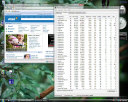 My Windows Vista box starts out at around 12,000 handles on boot up and quickly climbs to 15,000 without really doing anything. Loading up Internet Explorer 7 takes it up rather quickly to 800 megs of memory and a lot more handles being used.
My concern is that non-power users are going to start bumping up against the handle limit. The 64-bit version of Vista doesn't seem to have a problem with lots of handles so there is an escape path for the long term.
What I am hoping is that if someone with clout at Microsoft will have this issue brought to their attention and have it dealt with. The handle issue is already a problem for many power users on Windows XP. It's probably the most common cause of system instability. With Windows Vista having built in search (which consumes a lot of handles just as Google Desktop does), handles could become a serious problem.
Problem #3: Compatibility

 The radical architectural improvements to Windows may come with a price -- compatibility. First, let me say loudly that it is not fair to judge the final product based on the beta. But I do know what the compatibility was on Whistler at this stage versus Vista. And if your response to that is "Yea but Vista is a much bigger change" then realize this -- it doesn't matter to users how big the change is under the covers if their programs don't run. Windows Vista is supposed to be going to manufacturing in a few months.
Users submitting bugs (and feel free to ask anyone in the beta to verify this) can tell you tales of reporting a bug or compatibility problem to have it closed with a "working as designed". I know our guys are getting frustrated turning in a well documented, repeatable bugs only to have it seemingly blown off and having it continue to show up month after month (Hey, Logon team, we're all waiting for a replacement API to the Winlogon notify stuff, it's been half a year!).
 If you stick with the built in apps in Windows Vista along with very mainstream apps, things are fine. But as soon as you start venturing out, things get murky. And I don't refer to desktop enhancement programs (WindowBlinds is running fine on Windows Vista). It's usually "little things". My Verizon connection program or some shareware program or whatever.
As an evil capitalistic developer, poor compatibility is good news "New version! Now works on Windows Vista! Pay up! Whohaaha (singing) I'm getting a boat..a brand..new..boat (/singing)" But as a user, I am concerned that early adopters may find that many tools and programs they rely on have problems.
This may simply be something that Microsoft can't solve or shouldn't solve. But if that is the case, then Microsoft needs to spread the message that Windows Vista is a truly new version of Windows and some legacy software may need to be updated. I think users will understand that as long as it's communicated effectively before hand.
But for users who can't get their scanner to work or some custom gizmo, or applet that came bundled with their printer or whatever, it's going to be annoying if they had no idea that going to Vista was going to mean that a noticeable chunk of their programs don't run correctly.
Let me show you a screenshot that shows the excellent potential of Vista as well as the current problems:

What a cool utility and yet it also implies we have a long way to go.
Problem #4: Unowned Slop

What the heck is all this crap in my task list on boot up? SVChost wasn't funny in Windows XP when there were 5 of them and it's a lot less funny when there are a dozen of them -- ON A FRESH BOOT UP! Look at this stuff. These are all the processes running on a fresh boot up of Windows Vista beta (5381).
Microsoft talks about security but it's just not acceptable that Windows Vista should have a generic process name like svchost anymore. Each thing that wants a piece of my memory should have to have a name so that we know what it is. A third party could certainly write an application that digs into each svchost and then refeeds it into task list but this really should be part of the OS. I think it would also put more pressure on the various empires within Microsoft to justify their existence as part of the initial boot.
Most of all, it just looks sloppy. Clean? Clear? Confident? Some early adopters are going to open this up, see this mess and think "Bloated, sloppy, kludged". Feel free to comment on what your thoughts are on that. Am I just being anal? Maybe. But I suspect there's a lot of people out there who are going to take having 41 processes on bootup of which a dozen of them are called svchost.exe (as well as various duplicate process names) and not think kindly.
Problem #5: It's Annoying!
 There are so many new "security" oriented dialogs that the entire experience, when coupled with the above mentioned issues take out the "fun" of using the OS. Want to empty your recycle bin? You need to go through multiple dialogs to do that including a security prompt! Even as a so-called administrator, you can't get into all the folders on your system. And some of the folders you can get into, you can't write to files in them! Admins have certainly lost a lot of power it seems. See the screenshot of trying to get into "My Pictures" as an admin.
It's really hard to describe in words how annoying it is to constantly be prompted to enter a password or to boost your privileges to do seemingly trivial things. It interrupts ones workflow, train of thought and well, it just goofs up my groove, man. Microsoft is working on these issues and they are aware of them, but the recycling bin debacle makes me wonder how such obvious issues could make it so far into the beta process.
So what should be done?
Windows Vista is more important than Windows XP or Windows 2000. It is an ambitious project that demonstrates Microsoft's ability to innovate. A lot of people unfairly criticize Microsoft for not being innovative. Sometimes the criticism is fair but Windows Vista truly is innovative. Even if some of the ideas in Windows Vista got executed elsewhere first, Microsoft had come up with many concepts and ideas first (gadgets may seem similar to Apple's widgets which were similar to Konfabulator's widgets but were all predated by DesktopX by years which was predated by Active Desktop and other concepts as well for instance and the Sidebar gadgets were in the earliest Longhorn builds long before Konfabulator showed up -- though after DesktopX).
But what we need to know is that Microsoft will not rush Windows Vista out for some arbitrary marketing date. That, if necessary, Microsoft will move the Windows Vista date back even if that makes PC manufacturers scream bloody murder.
I am not suggesting that Microsoft can't address the concerns I point out there by the time they hope to release to manufacturing. But I am saying that I think it is going to be a very tense summer in Redmond in order to make the date given where the OS is right now. When Windows Vista beta 2 comes out for the public, people will be able to judge for themselves and decide what the status of the OS is.
What are your thoughts?


