Brad Wardell's Blog


Object Desktop: The Year in Review

Published on Sunday, January 16, 2005 By Brad Wardell In OS Customization


2004 Year in review..

Our story so far...

Object Desktop is a suite of programs that lets users customize the way Microsoft Windows looks, feels, and functions.  As the capabilities of Windows changes, so does Object Desktop.  It was originally released in December 1999 and has evolved dramatically since then. 

When a user purchases Object Desktop, they get everything already on it plus everything we create for it during the subsequent year. If a user wants to keep getting new updates and new features, they can re-subscribe to ObjectDesktop.net to continue getting new updates (if you don't renew you keep everything you already have).

Since updates during the year are a big deal to users who are considering renewing their access to ObjectDekstop.net, what comes out in a given year is worth talking about.

A Guided Tour of what's been improved...

2004 has been a turning point in Object Desktop's career.  It was the year when many elements of it finally came together: Mature programs, documentation, and support.

Stardock Central

For example, when Object Desktop first came out, users had to get their updates through a program called "Component Manager". This program "did the job" but was kind of clunky in use and many users had frustrations in terms of backing up and having to constantly re-download things.

Stardock Central completely replaces it.

Stardock Central.

What Stardock Central does is combine forums, chat, downloading, and other features all together into a single program. And when users download updates, they only download the parts they don't already have. Instead of 10 megabyte downloads they may only have 100K downloads.

WindowBlinds

For users of WindowBlinds (and IconPackager,) 2004 was the best year ever. WindowBlinds 4.4 runs rings around the bundled Windows XP visual style engine both in terms of performance and in memory use even as it skins a lot more parts of the Windows GUI.

And IconPackager has had a renaissance this year as great new icons have come out for it this year. The GUI Olympics really delivered some fantastic new skins and icons.

Below are some screenshots from this year.


And in icons..

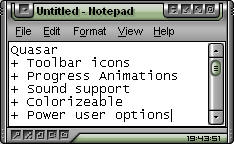
This year WindowBlinds also added some new features such as progress animations and toolbar icon changes:

Progress Animations

Toolbar icons.

Not only did WindowBlinds 4.4 add support for changing toolbar icons in Internet Explorer and Explorer as well as support for changing progress animations, it also was 40% faster in many areas than previous versions of WindowBlinds.  Most users should notice an immediate performance boost when moving from the included Windows XP look and feel to WindowBlinds.

Learn more on WindowBlinds at www.windowblinds.net.


SkinStudio

SkinStudio 4.4 came out this year and it supports the new WindowBlinds features such as toolbar creation and progress animations but it also added the ability to create more advanced shellstyles (Windows explorer task panels). 

For instance, normally in Windows the explorer task panels on are on the left side. But now with WindowBlinds 4.4, you can have them on the top:

See how the task panels are on the top of the window? SkinStudio supports this.

SkinStudio also makes it easy to make use of the Microsoft .msstyles format. So those .msstyles that are out there can be used just like any other skin format if you have SkinStudio installed. It's totally seamless. And what's nice is that WindowBlinds will run msstyles faster and on more programs than if they were using Microsoft's skin applying system.

SkinStudio in action

SkinStudio's home page it www.skinstudio.net.


Keyboard LaunchPad

For users looking to dramatically increase their productivity, there's The Keyboard LaunchPad. This is a relatively new addition to Object Desktop that allows users to assign a hot key to pretty much anything they might want to do.

Actions such as clipboard contents, website URLs, program launching and more.  We here at Stardock use it a lot for saving clipboard contents (canned replies for instance and saved screenshots). We also use it to navigate to very common websites and support sites. This program doesn't get nearly as much attention as it deserves even though it's one of the most useful programs ever made.

Theme Manager

Theme Manager is the successor to WinStyles. It provides the single point access to all the Object Desktop GUI customization programs (plus other programs as well) for changing skins, themes, icons and wallpapers and more.

You can use Theme Manager to just change your icons. Or you can build your own "suites" of skins/themes/icons together that create an entire desktop. Think of a suite as a desktop screenshot that has all the stuff included in it to get back to that screenshot. 


DesktopX

One of the biggest stories for Object Desktop this past year has been DesktopX 2.x.  DesktopX spent its first couple of years of existence as being a kind of neat technology experiment.  It was this year, however, that DesktopX really became very useful for even casual users.

With DesktopX you can still build entire desktops, but it's become very popular for creating mini-applications called widgets.  In fact, Stardock used DesktopX to create the user interface in The Political Machine and is currently using it to create the screens for Galactic Civilizations II.  It's phenomenal technology.

Widgets are basically little programs that exist on your desktop. They can be as simple as clocks or as complex as a game. They have less overhead than a stand alone program tends to have which makes them ideal for doing things like playing music, monitoring system resources, displaying local weather, providing news feeds, etc.

With DesktopX 2.2, widgets can now be activated with a hot key. So even if you have them covered by a bunch of windows, you can easily bring them to top with the press of a button.

Photo Album of DesktopX for 2004

IconX

IconX was born because as icon quality has increased, the ability to get the most out of those icons was limited.

Here's the deal: In Windows you can set your icon size globally. That is a problem because if you want to have nice big icons on your desktop, you also get huge icons everywhere else.

IconX lets you have huge icons just on your desktop if you want as well as all kinds of cool effects such as zooming icons (icons grow when you put your mouse over them), sound effects, shadows, and other goodies. And it lets you also have .PNG files as icons as well as make images into thumbnails if they're on your desktop.

The same is true of icon labels which can be really big and thick -- just on your desktop.

WindowFX

WindowFX plodded towards 3.0 this year -- slowly. But it did gain a pretty remarkable new feature that is waiting until 2005 to fully be explored: Scaleable windows:

When turned on, a user can hold down the shift key while minimizing a program to put it into scaled window mode.  For users with limited real-estate, this can be quite useful.  Or for people who want to casually monitor chat or other things but not have it eat up too much space, it's very useful for that as well.

New Programs of Object Desktop in 2004

IconDeveloper

Object Desktop also added icon creation support with IconDeveloper. IconDeveloper is designed to make it easy to take images and turn them into icons.

When it comes to making icons, IconDeveloper really does make it easy for people to create and adjust icons all at once.  Stand-alone programs of this nature cost $30 and IconDeveloper is just another program that is part of Object Desktop.

Learn more of it at www.icondeveloper.com.

RightClick

RightClick is a new program that went into beta at the tail end of 2004. It is a very straight forward program - it replaces the right-click desktop menu.

It can automatically inherit your WindowBlinds visual style and have all kinds of useful functionality in it (including embedding widgets!). 

People who have started running it have found it extremely useful.

RightClick could be used to let power users do away with their actual Windows start bar if they want (it even supports having the system tray in it).  It can also be set to have a hot key to bring it up. So unlike the "real" desktop right click menu, RightClick can be brought up even if there are windows obscuring the Windows desktop.


Coming Attractions in 2005...


WebExplorer (tentative name)

Stardock is working on an Internet Explorer based web browser. It's basically Internet Explorer with a tabbed based interface. That's it. Nothing fancy. It's not going to try to reinvent the web browser as we know it. We simply want users to be able to have a tabbed base Internet Explorer.


Enhanced File Dialog

This new feature will extend most common Windows file dialogs to have a lot more features.

All kinds of customization will become possible to the standard Windows file dialog.

Screenshots of it in action:


PowerTune

PowerTune is a significant departure from the whole "customization" portion of Object Desktop and back to the utility aspects. The idea behind PowerTune is relatively straight forward - it's getting too complicated to keep your PC optimized.

There are some great utilities out there that can help optimize your PC but they usually cost quite a bit and are usually overkill in terms of features.  The main features of PowerTune will include:

  • Duplicate File Finder/Remover

  • Advanced Disk Space Recovery

  • Temporary Internet file manager

  • Registry Repair/Clean

  • Windows Task List extensions

  • Windows memory, CPU, and video performance optimization

  • Windows stability analysis and monitoring

This isn't a complete list but the general idea is to allow power users as well as casual users keep their systems running well without having to spend very much effort doing it.  PowerTune is due in late 2005 in beta form.

ControlCenter 2 / ObjectBar 2

ControlCenter and ObjectBar are slowly being merged together. The idea is to make it easier for people to have virtual desktop managers that are easier to use and more productive than at present. The beta is already available of ObjectBar 2.

Conclusions

Object Desktop has come a long way since its inception.  And it continues to get better and better over time.  The existing key features such as WindowBlinds, DesktopX, IconPackager and so forth have become more robust and more fully featured. And new features add new value and abilities to the package as a whole. We hope you like the direction we're going and the improvements we've already put into it.

We also think it is probably the world's best software deal.  For $49.95 a user gets all these things plus everything we make for an additional year.  Imagine the user who purchased Object Desktop in say 2003 and decided to renew their access to get new programs and updates for the year 2004 for $34.95.  The new programs and updates listed they would have received as part of that! That's less than $3 per program and update.

 Object Desktop
Object Desktop     [download only]
Get all of Object Desktop now and everything created and updated for it for an entire year after!
$49.95
Object Desktop CD
Get all of Object Desktop now and everything created and updated for it for an entire year after!
$49.95
  Object Desktop Renewal
Renew your access for an additional year to new Object Desktop updates and new programs.
$34.95
  Object Desktop Upgrade
Upgrade from one of the components below to Object Desktop.
$34.95

Object Desktop: 2004 in review

Published on Sunday, January 16, 2005 By Brad Wardell In Object Desktop


2004 Year in review..

Our story so far...

Object Desktop is a suite of programs that lets users customize the way Microsoft Windows looks, feels, and functions.  As the capabilities of Windows changes, so does Object Desktop.  It was originally released in December 1999 and has evolved dramatically since then. 

When a user purchases Object Desktop, they get everything already on it plus everything we create for it during the subsequent year. If a user wants to keep getting new updates and new features, they can re-subscribe to ObjectDesktop.net to continue getting new updates (if you don't renew you keep everything you already have).

Since updates during the year are a big deal to users who are considering renewing their access to ObjectDekstop.net, what comes out in a given year is worth talking about.

A Guided Tour of what's been improved...

2004 has been a turning point in Object Desktop's career.  It was the year when many elements of it finally came together: Mature programs, documentation, and support.

Stardock Central

For example, when Object Desktop first came out, users had to get their updates through a program called "Component Manager". This program "did the job" but was kind of clunky in use and many users had frustrations in terms of backing up and having to constantly re-download things.

Stardock Central completely replaces it.

Stardock Central.

What Stardock Central does is combine forums, chat, downloading, and other features all together into a single program. And when users download updates, they only download the parts they don't already have. Instead of 10 megabyte downloads they may only have 100K downloads.

WindowBlinds

For users of WindowBlinds (and IconPackager,) 2004 was the best year ever. WindowBlinds 4.4 runs rings around the bundled Windows XP visual style engine both in terms of performance and in memory use even as it skins a lot more parts of the Windows GUI.

And IconPackager has had a renaissance this year as great new icons have come out for it this year. The GUI Olympics really delivered some fantastic new skins and icons.

Below are some screenshots from this year.


And in icons..

This year WindowBlinds also added some new features such as progress animations and toolbar icon changes:

Progress Animations

Toolbar icons.

Not only did WindowBlinds 4.4 add support for changing toolbar icons in Internet Explorer and Explorer as well as support for changing progress animations, it also was 40% faster in many areas than previous versions of WindowBlinds.  Most users should notice an immediate performance boost when moving from the included Windows XP look and feel to WindowBlinds.

Learn more on WindowBlinds at www.windowblinds.net.


SkinStudio

SkinStudio 4.4 came out this year and it supports the new WindowBlinds features such as toolbar creation and progress animations but it also added the ability to create more advanced shellstyles (Windows explorer task panels). 

For instance, normally in Windows the explorer task panels on are on the left side. But now with WindowBlinds 4.4, you can have them on the top:

See how the task panels are on the top of the window? SkinStudio supports this.

SkinStudio also makes it easy to make use of the Microsoft .msstyles format. So those .msstyles that are out there can be used just like any other skin format if you have SkinStudio installed. It's totally seamless. And what's nice is that WindowBlinds will run msstyles faster and on more programs than if they were using Microsoft's skin applying system.

SkinStudio in action

SkinStudio's home page it www.skinstudio.net.


Keyboard LaunchPad

For users looking to dramatically increase their productivity, there's The Keyboard LaunchPad. This is a relatively new addition to Object Desktop that allows users to assign a hot key to pretty much anything they might want to do.

Actions such as clipboard contents, website URLs, program launching and more.  We here at Stardock use it a lot for saving clipboard contents (canned replies for instance and saved screenshots). We also use it to navigate to very common websites and support sites. This program doesn't get nearly as much attention as it deserves even though it's one of the most useful programs ever made.

Theme Manager

Theme Manager is the successor to WinStyles. It provides the single point access to all the Object Desktop GUI customization programs (plus other programs as well) for changing skins, themes, icons and wallpapers and more.

You can use Theme Manager to just change your icons. Or you can build your own "suites" of skins/themes/icons together that create an entire desktop. Think of a suite as a desktop screenshot that has all the stuff included in it to get back to that screenshot. 


DesktopX

One of the biggest stories for Object Desktop this past year has been DesktopX 2.x.  DesktopX spent its first couple of years of existence as being a kind of neat technology experiment.  It was this year, however, that DesktopX really became very useful for even casual users.

With DesktopX you can still build entire desktops, but it's become very popular for creating mini-applications called widgets.  In fact, Stardock used DesktopX to create the user interface in The Political Machine and is currently using it to create the screens for Galactic Civilizations II.  It's phenomenal technology.

Widgets are basically little programs that exist on your desktop. They can be as simple as clocks or as complex as a game. They have less overhead than a stand alone program tends to have which makes them ideal for doing things like playing music, monitoring system resources, displaying local weather, providing news feeds, etc.

With DesktopX 2.2, widgets can now be activated with a hot key. So even if you have them covered by a bunch of windows, you can easily bring them to top with the press of a button.

Photo Album of DesktopX for 2004

IconX

IconX was born because as icon quality has increased, the ability to get the most out of those icons was limited.

Here's the deal: In Windows you can set your icon size globally. That is a problem because if you want to have nice big icons on your desktop, you also get huge icons everywhere else.

IconX lets you have huge icons just on your desktop if you want as well as all kinds of cool effects such as zooming icons (icons grow when you put your mouse over them), sound effects, shadows, and other goodies. And it lets you also have .PNG files as icons as well as make images into thumbnails if they're on your desktop.

The same is true of icon labels which can be really big and thick -- just on your desktop.

WindowFX

WindowFX plodded towards 3.0 this year -- slowly. But it did gain a pretty remarkable new feature that is waiting until 2005 to fully be explored: Scaleable windows:

When turned on, a user can hold down the shift key while minimizing a program to put it into scaled window mode.  For users with limited real-estate, this can be quite useful.  Or for people who want to casually monitor chat or other things but not have it eat up too much space, it's very useful for that as well.

New Programs of Object Desktop in 2004

IconDeveloper

Object Desktop also added icon creation support with IconDeveloper. IconDeveloper is designed to make it easy to take images and turn them into icons.

When it comes to making icons, IconDeveloper really does make it easy for people to create and adjust icons all at once.  Stand-alone programs of this nature cost $30 and IconDeveloper is just another program that is part of Object Desktop.

Learn more of it at www.icondeveloper.com.

RightClick

RightClick is a new program that went into beta at the tail end of 2004. It is a very straight forward program - it replaces the right-click desktop menu.

It can automatically inherit your WindowBlinds visual style and have all kinds of useful functionality in it (including embedding widgets!). 

People who have started running it have found it extremely useful.

RightClick could be used to let power users do away with their actual Windows start bar if they want (it even supports having the system tray in it).  It can also be set to have a hot key to bring it up. So unlike the "real" desktop right click menu, RightClick can be brought up even if there are windows obscuring the Windows desktop.


Coming Attractions in 2005...


WebExplorer (tentative name)

Stardock is working on an Internet Explorer based web browser. It's basically Internet Explorer with a tabbed based interface. That's it. Nothing fancy. It's not going to try to reinvent the web browser as we know it. We simply want users to be able to have a tabbed base Internet Explorer.


Enhanced File Dialog

This new feature will extend most common Windows file dialogs to have a lot more features.

All kinds of customization will become possible to the standard Windows file dialog.

Screenshots of it in action:


PowerTune

PowerTune is a significant departure from the whole "customization" portion of Object Desktop and back to the utility aspects. The idea behind PowerTune is relatively straight forward - it's getting too complicated to keep your PC optimized.

There are some great utilities out there that can help optimize your PC but they usually cost quite a bit and are usually overkill in terms of features.  The main features of PowerTune will include:

  • Duplicate File Finder/Remover

  • Advanced Disk Space Recovery

  • Temporary Internet file manager

  • Registry Repair/Clean

  • Windows Task List extensions

  • Windows memory, CPU, and video performance optimization

  • Windows stability analysis and monitoring

This isn't a complete list but the general idea is to allow power users as well as casual users keep their systems running well without having to spend very much effort doing it.  PowerTune is due in late 2005 in beta form.

ControlCenter 2 / ObjectBar 2

ControlCenter and ObjectBar are slowly being merged together. The idea is to make it easier for people to have virtual desktop managers that are easier to use and more productive than at present. The beta is already available of ObjectBar 2.

Conclusions

Object Desktop has come a long way since its inception.  And it continues to get better and better over time.  The existing key features such as WindowBlinds, DesktopX, IconPackager and so forth have become more robust and more fully featured. And new features add new value and abilities to the package as a whole. We hope you like the direction we're going and the improvements we've already put into it.

We also think it is probably the world's best software deal.  For $49.95 a user gets all these things plus everything we make for an additional year.  Imagine the user who purchased Object Desktop in say 2003 and decided to renew their access to get new programs and updates for the year 2004 for $34.95.  The new programs and updates listed they would have received as part of that! That's less than $3 per program and update.

 Object Desktop
Object Desktop     [download only]
Get all of Object Desktop now and everything created and updated for it for an entire year after!
$49.95
Object Desktop CD
Get all of Object Desktop now and everything created and updated for it for an entire year after!
$49.95
  Object Desktop Renewal
Renew your access for an additional year to new Object Desktop updates and new programs.
$34.95
  Object Desktop Upgrade
Upgrade from one of the components below to Object Desktop.
$34.95

Getting things prepared for the media tour..

Published on Sunday, January 16, 2005 By Brad Wardell In GalCiv Journals

I always feel like I'm walking the tight rope between cheerleader for the project and troll of the project. We have a long time to work on the game and we're doing very well schedule-wise. But taking Galactic Civilizations into the 3D (engine wise) has many perils. 

Internally there was some confusion on the overall visual direction for the game. For me, it should LOOK like a game. Early on I made clear that I did not want it to look like Homeworld or something. That's my issue with 3D, I don't think these games look very realistic so instead I want to make it look like a game.  But in my view, too much of our graphics look like a simulation and not a game. So we're in the process of "punching up" some of the artwork and graphics so that there is more contrast, and an overall "cleaner look" to the game.  Our ships will be very detailed and so will our planets, but we want the ships to be more stylized than realistic.

Let me give you an example of realism vs. fun.  In real space, only stars are significant light sources. That means that the dark side of a planet should be pretty darn dark.  Well, that's a bit of a problem if you think about it.  It can become quite tedious to try to see planets at a glance on the map if often times you may not be able to see the planet at all if the dark side is facing you.  But that's how it was at one point.  We all thought that would be cool and the 3D engine let us do it.  So since then we've turned up the ambient lighting a lot.  But the same is true on ships and such.  They react to light but how lit should they be on their own?

In Galactic Civilizations 1, this wasn't an issue. The ships were completely lit on their own by magic. I.e. they were sprites:

Galactic Civilizations 1

Galactic Civilizations 2

So right now, I immediately have problems. First, the ships are not anywhere nearly as good. This is going to be hard to solve but it'll have to be solved. In GalCiv 2, since you can zoom in on ships as much as you want, the coolness of the ships depends a lot on how close you are.  But as a practical matter, this is the level they'll be looking at it from and they better look cool at this level. They had better look as good as the first game's ships were.

Next, look how dark it is (and there's a glitch in the current build where it's even darker by default based on the range of the ship but this shot is already as light as I can get it by selecting the planet).  There's hardly any stars for instance.  So we'll have to find a way to solve that so that there's a lot more visual flair.

Another shot from GalCiv 1:

The Drengin Empire's ships were greenish with some brown highlights. It'll be interesting to see if we can have that kind of flair on our ships along with a lively background like this.

It apparently isn't as easy as one might think to have a lively background in 3D. Tiling a bitmap of stars and such apparently has issues as one zooms in and out. I am skeptical on that as I tend to think that we can get away with a nice big old tiled background. And don't forget we'll need to get parallax scrolling in there.

The tactical map is nice.  Ironically, one can almost imagine that the "hard core" GalCiv players will end up playing the game in this mode.  It's not quite ready for prime time though.  There is this concern about making the ship icons too small.  Part of it has to do with just them being too small to see and the other is having them be so small that the icons won't be able to be nice.  I tend to take the view that you can get away with a lot with 12x12, 16x16, 20x20, and 24x24 icons in terms of how descriptive they are.

Basically the more powerful the unit/fleet is, the bigger the icon will appear. So you'll be able to glance and if you see a big capital ship icon(s) coming your way, you're in trouble.  This part of the game I'm pretty happy with.

The new planet screen is still a work in progress. Mostly in terms of UI that is.  What's going to be cool is that many planets will be totally unique from game to game (the good planets that is).   The UI is still a bit awkward (so what you see here will likely change quite a bit between now and the final game).  The map itself I think needs more visual help. It's probably near the point where the graphics developers can start working with it.  I've coded planetary terrain making before and I can say that Paul's work on creating maps that don't look like fractals is fantastic here. Any developer can looking at the land masses can probably appreciate the skill there.  My beef has more to do with making sure that there's more texture on the planet.

Here's my lame attempt.

Right now:

vs.

It's amazing what a little texture will do.

And if we could do this mostly on mountains you could end up with a cool thing.

This is just a quick whip-up of things but what I think the planets need is for it to be pretty obvious and styleized on which sectiosn of a planet can be enhanced and which parts are desolate.

Then punch it a bit further so that the desolate areas are really desolate.

I did this by going through the uninhabitable sectors and using a more brownish hue to them.

Of course, here's the problem with my solution: Galaxy generation.  Applying a texture as I describe is time consuming.  You can have either unique planets that aren't as cool looking each game or you can have pre-canned planets that are pretty cool looking.

My suggestion is to do both.  Class 0 through 9 planets are pre-generated planets.  And class 10 (earth-like) and above would be unique.  And in a pinch, we could have the texturing algorithm go in the background starting from Earth and then going out in a circular pattern in a background thread once the game begins. After all, the player isn't going to see the outlying planets for awhile.  But hopefully it won't come to that as that's a lot of work.

As nit-picking as I may sound here, it's worth nothing that Galactic Civilizations I's graphics were so bad that we couldn't even do box shots until 3 months before release.  Here we're about a year before release and much of the game is working already. So we have a lot of time to polish this stuff up. But since I'm going to San Fran next week to demo this and we want to get some previews, the graphics are going to have to be reasonably decent much ealier.

Progress is starting to go very fast now and we've got a great team -- the complete GalCiv 1 team plus the Political Machine team plus Paul K! I'm totally jazzed about the new game features. Just totally scared about getting it all together for the March beta!

I want to make a MMORTS

Published on Sunday, January 16, 2005 By Brad Wardell In PC Gaming

As I look at Stardock's massive IT infrastructure I realize something - we are well suited to make a massively multiplayer online real time strategy game.

The problem with RTS's done as massively multiplayer has always been the persistent world. That is, what happens to your empire when you're not playing? There is also quite a bit more involved in keeping the world compelling and interesting over time.

Most game developers would have to build an awful lot of tools to make a persistent RTS world. A lot of non-game tools to solve some of the issues that come into play when you sit down and try to seriously think out how an RTS would be done if it were persistent and massively multplayer. That's something Stardock has in abundance.   After all, Stardock.net's infrastructure, already today handles roughly 100,000 unique users per day.

And with some of the talent we now have, we can do this. The time has come for us to make a MMORTS. Details will follow once we have more code in place. We have a really cool design and we have the infrastructure..

Little boys and their disgusting habits..

Published on Sunday, January 16, 2005 By Brad Wardell In Home & Family

Only a little boy would think this way..

I caught my son picking his nose and eating it. Disgusting! I don't know why small children are such nasty creatures.

"That's disgusting! Do you realize how disgusting that is? Eating boogers is as bad, if not worse, than eating poop. Do you know that? Boogers are the trapped germs of your body trying to get out. They're absolutely filthy. Poop, amazingly, is actually cleaner than boogers. That's how disgusting that is!"

To which he responds:

"Are you saying I should eat my poop too?"

Sigh.

Adventures in Customization: January 2005

Published on Saturday, January 15, 2005 By Brad Wardell In WinCustomize News

Cordelia is new to this whole customization thing and has created a series of articles on this very fact.  For people who are new and even those experienced in "skinning" their Windows PCs, this on-going series of articles is a great read.  It takes users on a tour of some of the most common new issues that new users will run into as they get into enhancing Windows.

Check out the Newbie Tutorials here:  #1: Intro.,  #2: WindowBlinds, Part 1, #3: WindowBlinds, Part 2, #4: Screenshots, #5: IconPackager, #6: Wallpaper Basics; #7: Logon Studio; #8: CursorXP; #9: BootSkin; #10 RightClick.

How to design your own icons

Published on Saturday, January 15, 2005 By Brad Wardell In IconPackager Tutorials

Paul Boyer, better known as Mormegil, has put together a series of WinCustomize articles called Icon-A-Day to show people how to create their own slick looking icons. 

This series of articles will tech you how to create your own icons for Windows XP.

Read the Icon-A-Day Articles: Icon # 1, Icon # 2, Icon #3, Icon # 4, Icon #5, Icon # 6, Icon # 7, Icon #8.

Paul Boyer's Icon-A-Day Series

Published on Saturday, January 15, 2005 By Brad Wardell In WinCustomize News

Paul Boyer, better known as Mormegil, has put together a series of WinCustomize articles called Icon-A-Day to show people how to create their own slick looking icons. 

One of the new things we're trying to do at WinCustomize.com (thanks to people like Paul and others) is provide original content on a regular basis for people to learn more about how to get the most out of their PC. 

Read the Icon-A-Day Articles: Icon # 1, Icon # 2, Icon #3, Icon # 4, Icon #5, Icon # 6, Icon # 7, Icon #8.

The Point System Explained

Published on Saturday, January 15, 2005 By Brad Wardell In Blogging

Every registered user and every blog has points associated with it. These points are added together set up the different ranks of users and blogs on this site.

Why have a point system at all?

What motivated me to set this up was that I wanted to set up a medium in which people could write articles and that the popularity of that article would be based, at least in party, on merit. All too often, what gets read on the Internet is purely a matter of luck - some very popular website links to some article and then everyone reads it.

No points system is going to be able to overcome lots of sites linking to a given article. But a points system can make a big difference when all other things are equal.

And points basically come from a number of sources - number of people who read your article. Number of people who respond to it. And people giving it "insightful" or "interesting" ratings. And while such things are subject to abuse (and no doubt will be abused), something is better than nothing. And our system is designed so that opinions of users who are trusted (i.e. not prone to abuse the system) will count for a lot more points when they rate something.

The more points something gets, the more places throughout the Stardock.net syndication system the article will be seen. That means sites ranging from JoeUser.com to WinCustomize.com and even places like TotalGaming.net and PoliticalMachine.com (depending on the topic and # of points).

You receive points in 3 forms: Points from your personal site (i.e. your blog), Points from your articles, and points from your activities (writing comments, writing articles, etc.).

N = User's Access Level (1 for Citizen, 9 for Admin).

Point System: Details

Activity Points you receive Points your article receives
You write an article 5 N/A
You make a comment on your article 1 N/A
You make a comment on someone else's article 5 N/A
Someone gives your comment an insightful rating 2(N-1)^2 N/A
Someone gives your comment a "trolling" rating -(N-1)^2 N/A
Someone reads your article N/A 1
Anonymous user comments on your article N/A 1
Registered user comments on your article N/A 5
Someone reads your article as part of a home page view N/A 1/10th of a point
Someone gives your article an "Interesting" rating N/A (N-1)^2
Someone gives your article an "Insightful" rating N/A 2(N-1)^2

When we measure top "blog sites" such as on JoeUser.com, we do this by adding up the total points your articles have received in the past 30 days.

When we measure top "users" such as on JoeUser.com we do this by adding up the total points the user has received in the past 30 days.

(some of this is still under construction).

Enhanced Dialog Beta Reports

Published on Friday, January 14, 2005 By Brad Wardell In

The first beta of Enhanced Dialogs is now available for Object Desktop users.  Enhanced File Dialogs seamlessly hook in to replace the standard Windows file dialogs. Now users can control which icons show up on the left, always have resizable dialogs, and they actually remember what view you last used (details, icons, etc.).

If you don't already have Object Desktop, definitely look at getting it.  It's a must-have utility suite for enhancing your Windows experience. www.objectdesktop.com.


Let us know any problems you might have with it.